


Looking to stake your TRON (TRX) securely and earn passive income in 2026? Whether you’re using a hardware wallet like Ledger or a trusted hot wallet like TronLink or Trust Wallet, we’ve tested the top options for secure, smooth TRX staking.
🔗 Also read: 8 Best Tron Wallets to Use in 2026
🔐 Want cold storage? See our picks for the best hardware wallets for TRON.
Stake Your Tron (TRX) With:
- Ledger Hardware Wallets – Best Cold Wallets for Staking TRON (TRX)
- TronLink Wallet – Best Hot Wallet for TRX Staking, NFTs & Tron dApps
- Trust Wallet – Mobile TRX Wallet with Built-In Staking & Multichain Support
- Guarda Wallet – TRX Wallet for All Devices with Built-In Staking
- Klever Wallet – Mobile Hot Wallet with Built-In TRX Staking
What Is TRON and Why Stake TRX?
TRON is a fast, scalable, and low‑fee blockchain launched in 2017 by Justin Sun — now home to millions of dApp users globally.
It uses a Delegated Proof‑of‑Stake (DPoS) system where you freeze TRX and vote for Super Representatives (validators), earning ~4–5% APY in return.
- Stake directly from your wallet
- Unfreeze anytime (3-day unfreeze period)
- Keep full control of your TRX
- Support network security — and earn daily rewards
Hot Wallets vs Cold Wallets for TRX Staking
Cold wallets (hardware wallets) such as Ledger Nano X and Ledger Stax store your private keys offline, offering the best and safest way to stake and manage TRX. They eliminate the risk of online attacks and are ideal for serious holders.
Hot wallets, such as TronLink, while free and easy to set up, keep your keys on internet-connected devices — which makes them more vulnerable to malware, phishing, and hacks. They should only be used if you understand and accept the security trade-offs.
How to Stake TRX Safely: The Wallets You Can Trust
Whether you’re staking TRX with a hardware wallet or a non-custodial hot wallet, your wallet choice plays a critical role in protecting your assets. Below are the most reliable options for staking TRX in 2026 — starting with cold wallets for maximum security, followed by hot wallets, which are free to use but inherently less secure due to their internet connectivity.
1. Ledger Hardware Wallets
Best Cold Wallets for Staking TRON (TRX)
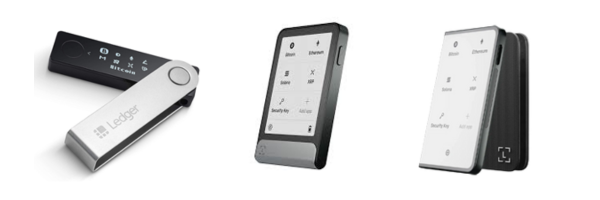
Ledger hardware wallets have been trusted by TRX holders since the early days of the TRON network. Whether you’re staking TRX for passive rewards or storing TRC20 tokens, Ledger offers a secure, offline solution that puts you in full control of your assets.
You can choose between:
- Ledger Nano X — $149: A reliable, Bluetooth-enabled hardware wallet with a long track record.
- Ledger Flex — $249: A foldable, portable cold wallet with upgraded durability and display.
- Ledger Stax — $399: The premium touchscreen wallet with curved E-Ink display, wireless charging, and the highest-grade security — the best and safest TRX wallet in 2026.
Many TRON stakers are now upgrading to Flex or Stax, but Nano X is still a solid and fully supported option for staking TRX without compromise.
All three Ledger wallets are:
✅ Compatible with Windows, macOS, Linux, Android, and iOS
✅ Fully integrated with Ledger Live, Ledger’s secure management suite
✅ Able to stake TRX directly and claim rewards securely
✅ Secure by design — your private key never leaves the device
Through Ledger Live, you can buy, send, receive, swap, and stake TRX in a trusted environment, with all staking confirmations signed on your hardware device. No third-party wallets required, no compromises on security.
🔐 If you’re serious about TRX staking and long-term self-custody, Ledger Staxis the most advanced and secure TRON wallet available in 2026.
How to Stake TRX Using Ledger Live (Step-by-Step)
Here’s how you can stake your Tron (TRX) directly through Ledger Live in just a few minutes:
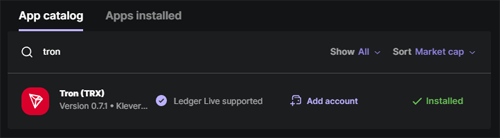
1. Open Ledger Live and install the Tron app
Go to the My Ledger tab and install the Tron app from the App catalog.
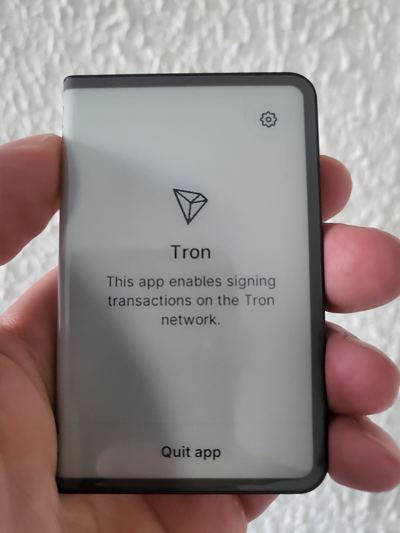
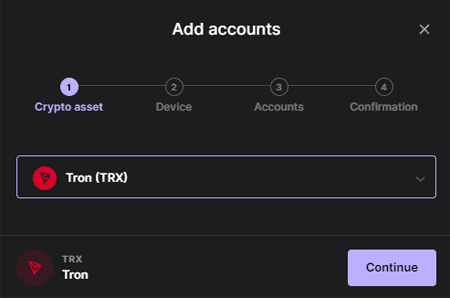
2. Navigate to the Accounts tab and add a new Tron account to manage your TRX.
3. Transfer TRX to your new Ledger account, or purchase it directly through Ledger Live.
4. Open your Tron account and click the “Earn” tab
This is where you’ll access staking options for Tron.
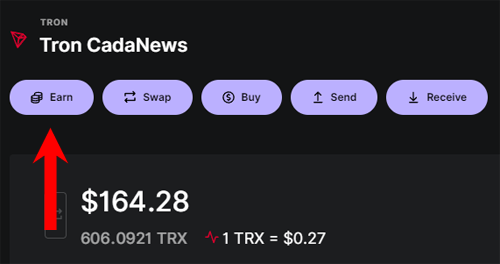
5. Choose the amount of TRX you want to stake, then select your Super Representative (validator).
6. First, sign the transaction on your Ledger device to “freeze” TRX.
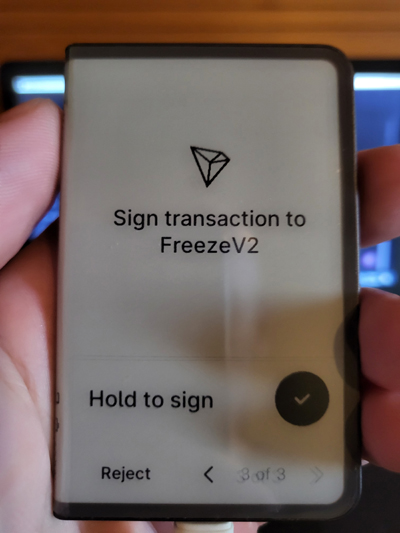
7. Finally, sign the transaction to “Vote” for your selected validator.
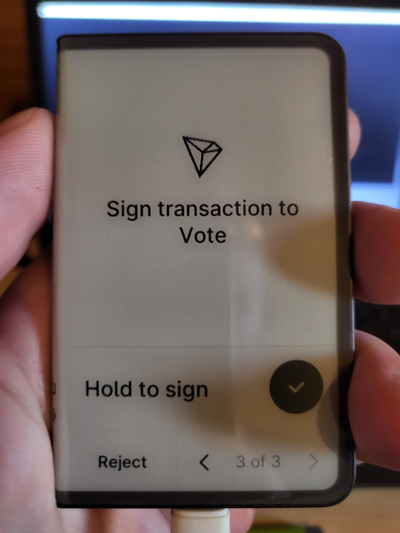
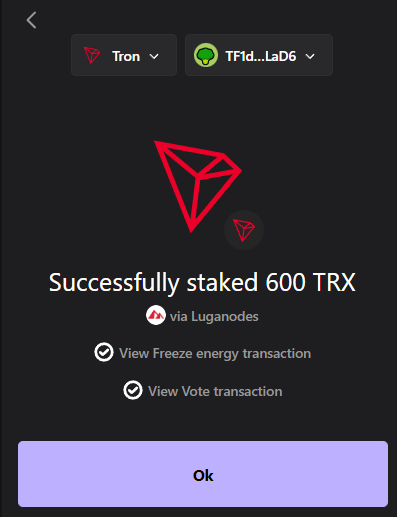
7. Done — you’ve started earning TRX staking rewards.
For long-term TRX holders who value both security and convenience, Ledger hardware wallets continue to offer the most complete staking experience in 2026. With direct TRX staking in Ledger Live, seamless validator voting, and full offline key protection, Ledger remains the top choice for serious TRON stakers.
2. TronLink Wallet
Best Hot Wallet for TRX Staking, NFTs & Tron dApps

TronLink is the official wallet of the Tron ecosystem, developed by the Tron DAO and designed to give you full access to everything TRON has to offer — staking, tokens, NFTs, and dApps.
Available as both a browser extension and mobile app, TronLink lets you stake TRX by voting for Super Representatives directly inside the wallet. You can manage TRC20 tokens, connect to DeFi platforms like JustLend DAO, and interact with NFT marketplaces — all from one interface.
It also supports hardware wallet integration, so you can pair TronLink with your Ledger Nano X or Stax for cold storage while still accessing dApps with ease. The wallet is fully non-custodial, meaning you hold the keys, and supports all TRON-based assets.
Be sure to always install the latest version from the official website.
3. Trust Wallet
Mobile TRX Wallet with Built-In Staking & Multichain Support

Trust Wallet is one of the most popular mobile wallets in crypto, and it offers full support for TRX staking, TRC20 tokens like USDT, and dApp connectivity via WalletConnect.
Available on both Android and iOS, Trust Wallet lets you stake TRX directly in-app by selecting a Super Representative and locking your TRX with just a few taps. You can also send, receive, and swap tokens across multiple blockchains, making it a convenient choice for users with mixed portfolios.
Unlike some wallets, Trust Wallet runs its own Super Representative node — but you can also choose from the full list if you prefer to stake with a different validator. Its clean UI, built-in staking feature, and multi-chain asset management make it a reliable choice for TRX holders who want mobile-first access without giving up control.
Be sure to always install the latest version from the official website.
4. Guarda Wallet
TRX Wallet for All Devices with Built-In Staking
Guarda Wallet is a flexible, non-custodial wallet that works across desktop, mobile, browser extension, and web, giving you access to your TRX and TRC20 tokens from any device.
Staking TRX with Guarda is easy — you simply open your wallet, select TRON, and choose a Super Representative to begin earning rewards. The staking process is integrated directly into the wallet interface, so there’s no need to connect to external dApps.
Beyond staking, Guarda supports token swaps, fiat purchases, and even live chat support — a rare feature in non-custodial wallets. TRX holders can manage USDT, USDC, and other TRC20 tokens with ease, and all activity is secured by your recovery phrase and encrypted locally.
The wallet syncs seamlessly across platforms, making it ideal for users who want to manage TRX from multiple devices with a consistent experience.
Be sure to always install the latest version from the official website.
5. Klever Wallet
Mobile Hot Wallet with Built-In TRX Staking

Klever Wallet includes native TRX staking — simply tap Staking, select TRX, input the amount, and confirm. The interface guides you through freezing TRX to earn rewards, and you can easily unfreeze when it’s time to withdraw.
As a multi-chain wallet, Klever also supports token swaps, dApps, and TRC20 assets — all within a clean, intuitive mobile interface. It’s fully non-custodial, giving you control over your recovery phrase and assets without relying on third-party custodians.
The wallet also includes a built-in browser for accessing Tron dApps like SunSwap V3, NFT marketplaces, and DeFi protocols, making it a great all-in-one mobile solution for TRX holders who want convenience and staking in one place.
Be sure to always install the latest version from the official website.
