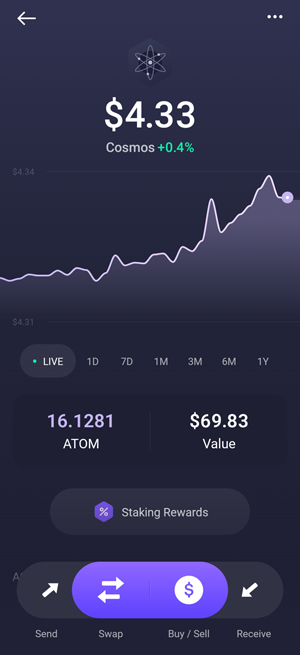

Looking for the best Cosmos (ATOM) wallet in 2026? Whether you’re staking ATOM, managing tokens across multiple chains, or using Cosmos dApps, choosing the right wallet is essential for secure storage, staking, and daily use.
Cosmos is built around interoperability, allowing independent blockchains to connect and exchange data through the Inter-Blockchain Communication (IBC) protocol. As the ecosystem expands with networks like Osmosis, Juno, and Secret Network, wallets need to do more than just store ATOM — they also need to support staking, multi-chain asset management, and access to Cosmos applications.
ATOM, the native token of the Cosmos Hub, plays a central role in securing the network and earning staking rewards. For users who want to participate in the ecosystem, a reliable wallet is important for delegating to validators, managing assets, and moving between different Cosmos-based networks.
If you want to keep your ATOM 100% safe check our best hardware wallets page; for Cosmos any Ledger device will do great as they also connect easily to Keplr and Comostation wallets.
Best Cosmos (ATOM) Wallets in 2026
- Keplr – Best Overall Cosmos Wallet
- Cosmostation – Best for ATOM Staking
- Trust Wallet – Best for Beginners
- Guarda Wallet – Best Cross-Platform Wallet
- Exodus – Best for Multi-Asset Portfolios
1. Keplr – Best Overall Cosmos Wallet
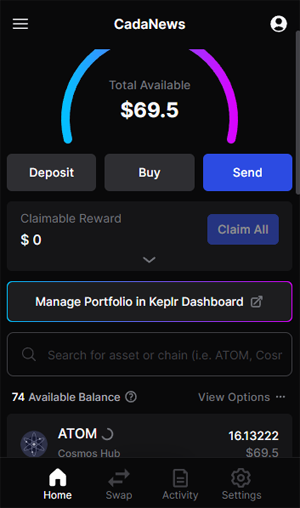
Keplr is a wallet built specifically for the Cosmos ecosystem, making it one of the most practical options for managing ATOM and IBC-enabled tokens. It’s available as a browser extension and mobile app, allowing users to interact with multiple Cosmos chains from both desktop and mobile.
Its biggest advantage is native integration with Cosmos. Keplr supports ATOM staking, governance voting, and IBC transfers, giving users direct access to networks like Osmosis, Juno, and Secret Network without needing additional tools. This makes it a strong choice for users who actively use the ecosystem, not just hold ATOM.
The wallet is designed to keep things simple while still offering full functionality. You can switch between chains, delegate ATOM, claim rewards, and connect to dApps in just a few steps. It also supports hardware wallet integration, allowing users to connect a Ledger device for added security.
In practice, Keplr works best as an all-in-one Cosmos wallet for staking, managing assets, and interacting with dApps across the interchain ecosystem.
✅ Verdict
- Best for: Users who want a complete wallet for staking and using Cosmos dApps
- Main strength: Strong integration with Cosmos ecosystem and IBC-enabled chains
- Main drawback: Performance can feel inconsistent when navigating between multiple chains
- Who should use it: Users who want full access to staking, governance, and dApps across multiple Cosmos networks
2. Cosmostation – Best for ATOM Staking

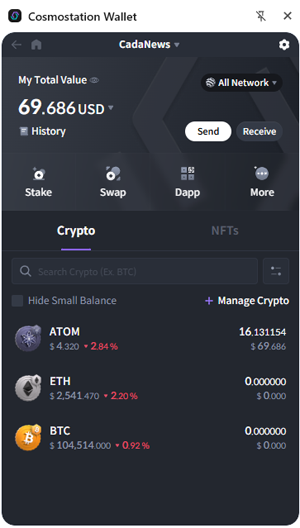
Cosmostation is a non-custodial wallet built for the Cosmos ecosystem, offering tools for managing ATOM, staking, and interacting with multiple Cosmos-based networks. It’s available as a mobile app and browser extension, giving users access to their assets across devices.
Its biggest advantage is its focus on staking and validator management. Cosmostation provides detailed insights into validators, rewards, and network activity, making it easier to delegate ATOM and track performance over time. This makes it especially useful for users who want more control over their staking decisions.
The wallet also supports IBC transfers and Cosmos dApps, allowing users to interact with different chains and applications within the ecosystem. In addition, Cosmostation is closely connected to tools like Mintscan, which are widely used for tracking transactions and validator data across Cosmos networks.
While the interface includes more detailed information compared to simpler wallets, it remains functional once you get used to it. Hardware wallet support is also available, enabling users to connect a Ledger device for added security.
In practice, Cosmostation works best as a Cosmos wallet focused on staking and network visibility, particularly for users who want deeper insight into validators and rewards while managing ATOM across multiple chains.
✅ Verdict
- Best for: Users focused on ATOM staking and validator selection
- Main strength: Detailed staking tools and strong validator insights
- Main drawback: Navigation between features can take time to get used to
- Who should use it: Users who want more control over staking and a deeper view of Cosmos network activity
3. Trust Wallet – Best for Beginners

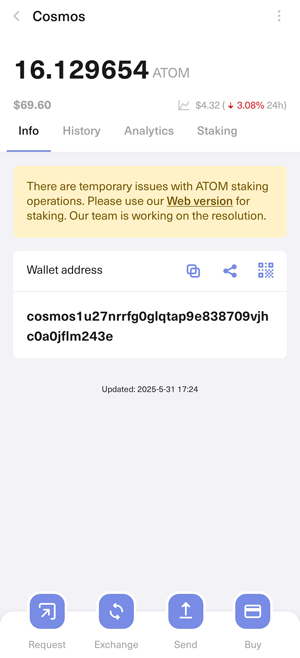
Trust Wallet is a multi-asset wallet that supports Cosmos (ATOM) alongside a wide range of other cryptocurrencies. It’s available as a mobile app and browser extension, making it a convenient option for users who want to manage their assets across devices.
Its biggest advantage is simplicity. Trust Wallet offers a clean interface that makes it easy to store, send, and stake ATOM without needing to understand the technical side of the Cosmos ecosystem. Staking can be done directly in the app, allowing users to earn rewards with minimal setup.
Unlike Cosmos-native wallets, Trust Wallet focuses on providing a general crypto experience rather than deep ecosystem integration. While it supports ATOM staking and basic asset management, it has more limited functionality when it comes to interacting with Cosmos dApps and advanced IBC features.
The wallet is fully non-custodial, giving users control over their private keys, and includes basic security features like biometric login and backup recovery phrases.
In practice, Trust Wallet works best as a beginner-friendly option for managing and staking ATOM, especially for users who hold multiple cryptocurrencies and prefer a simple, all-in-one mobile wallet.
✅ Verdict
- Best for: Beginners who want a simple way to manage and stake ATOM
- Main strength: Easy-to-use interface with support for multiple cryptocurrencies
- Main drawback: Can have issues when connecting the browser extension to hardware wallets like Ledger
- Who should use it: Users who want a straightforward mobile and browser wallet for managing ATOM alongside other assets

4. Guarda Wallet – Best Cross-Platform Wallet
Guarda Wallet is a non-custodial wallet that supports Cosmos (ATOM) along with a wide range of other cryptocurrencies. It’s available on desktop, mobile, web, and as a browser extension, making it one of the more flexible options for accessing your wallet across different devices.
Its biggest advantage is cross-platform access. Guarda allows users to manage and stake ATOM from multiple environments, whether on a computer, phone, or browser, without being tied to a single device. This makes it a practical choice for users who want consistent access to their funds.
The wallet includes built-in ATOM staking, allowing users to delegate tokens and earn rewards directly within the interface. It also offers features like swaps and asset management, making it suitable for handling multiple cryptocurrencies in one place.
Compared to Cosmos-native wallets, Guarda focuses more on general usability than deep ecosystem integration. While it supports ATOM and staking, it has fewer tools for interacting with Cosmos-specific features like advanced IBC activity or dApps.
In practice, Guarda works best as a multi-device wallet for managing and staking ATOM, especially for users who want flexibility and access across desktop, mobile, and web platforms.
✅ Verdict
- Best for: Users who want access to their wallet across multiple devices
- Main strength: Works across desktop, mobile, web, and browser with consistent access
- Main drawback: Fewer features for interacting with Cosmos dApps and advanced ecosystem tools
- Who should use it: Users who want a flexible wallet for managing and staking ATOM without being tied to one platform
5. Exodus – Best for Multi-Asset Portfolios
Exodus is a multi-asset wallet designed for managing a wide range of cryptocurrencies, including Cosmos (ATOM). It’s available on desktop and mobile, offering a consistent experience across devices with a strong focus on ease of use.
Its biggest advantage is its interface. Exodus provides a clean and visually intuitive layout that makes it easy to track your portfolio, manage assets, and stake ATOM without needing advanced knowledge. Everything is presented in a straightforward way, which makes it accessible for users who prefer a simple setup.
The wallet supports ATOM staking directly within the app, allowing users to earn rewards without leaving the interface. It also includes built-in swap functionality, making it possible to exchange assets quickly without connecting to external platforms.
As a general multi-asset wallet, Exodus is not as focused on the Cosmos ecosystem itself. It supports ATOM and basic staking, but offers limited access to Cosmos dApps, IBC features, and advanced network interactions compared to more ecosystem-specific wallets.
In practice, Exodus works best as a beginner-friendly wallet for managing ATOM alongside other cryptocurrencies, especially for users who value design, simplicity, and an all-in-one portfolio view.
✅ Verdict
- Best for: Users who want a simple way to manage ATOM alongside other cryptocurrencies
- Main strength: Clean interface with built-in portfolio tracking and staking
- Main drawback: Limited support for Cosmos dApps and advanced ecosystem features
- Who should use it: Users who prefer an easy-to-use wallet for managing multiple assets in one place