
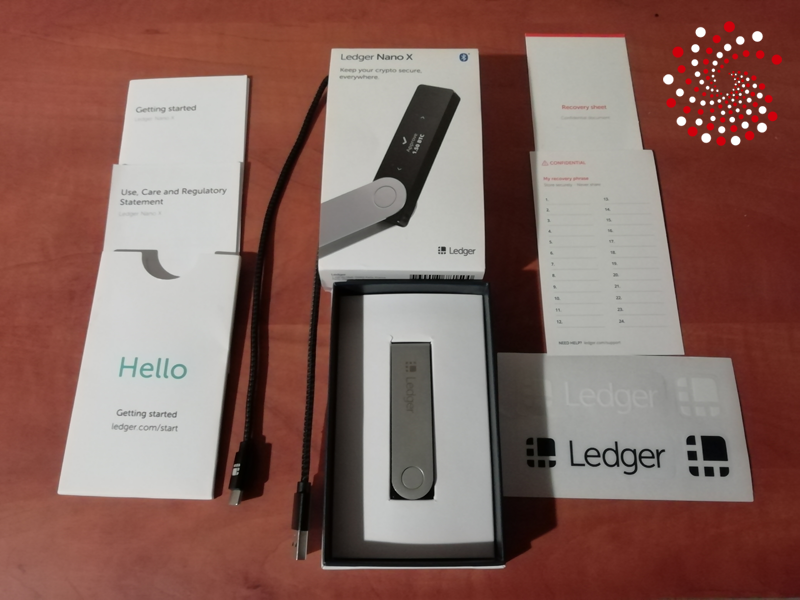

If you’re considering the Ledger Nano X in 2026, this review is based on over 5 years of real-world use. I’ve used it through market cycles, daily transactions, staking, and interacting with different blockchains — so this isn’t just a specs overview, but how it actually performs long-term.
The Nano X has been one of the most reliable hardware wallets I’ve used. It combines strong security, broad asset support, and the flexibility to manage crypto both on desktop and mobile. Over time, it’s proven to be a dependable device whether I’m sending transactions, managing multiple wallets, or connecting to Web3 apps.
Even in 2026, it still holds its place as a well-rounded hardware wallet for everyday use — whether you’re holding long-term, staking, or using DeFi platforms like Aave or Curve.
Key Takeaways
- Well-rounded hardware wallet: The Nano X offers a strong balance of security, features, and usability for everyday crypto management
- Broad asset and dApp support: Supports 5,500+ coins, staking, NFTs, and works with major Web3 wallets
- Proven long-term reliability: Built on Ledger’s secure element and BOLOS OS, with consistent performance over years of use
- Mobile and desktop flexibility: Can be used with both smartphones and computers, unlike wired-only models
- Good for active users: Ideal for managing multiple assets, staking, and interacting with DeFi
- Limitations: Higher price than Nano S Plus, small screen, and limited open-source transparency
✅ Verdict
- Best for: Users who want a reliable, all-in-one hardware wallet for both mobile and desktop use
- Main strength: Delivers a strong mix of security, compatibility, and everyday usability backed by years of proven performance
- Main drawback: More expensive than entry-level options, with a small screen and closed-source elements that may not suit advanced users
- Who should use it: Users looking for a secure, versatile hardware wallet for long-term holding, staking, and active crypto management
💰 Price: The Ledger Nano X is priced at $99, offering a strong balance of security, mobile flexibility, and broad crypto support for everyday use.
👉 🔗 Get $20 in Bitcoin (BTC) with the Ledger Nano X (Exclusive Offer)
🔗 View full list of supported cryptocurrencies
🧭 Jump to Section
- Key Specs at a Glance
- What’s New in 2026
- Design & Build Quality
- Initial Setup & User Experience
- Security Architecture
- Supported Coins & Ecosystem
- Ledger Live App Features
- Mobile Usage & Bluetooth
- Performance & Battery
- Accessories & Backup Tools
- Pros & Cons
- Who Should Use the Ledger Nano X
- My Experience With the Ledger Nano X
- Ledger Nano X Special Offer
- FAQ
Key Specs at a Glance
Display: 128 × 64 px OLED
Connectivity: USB-C and Bluetooth (BLE)
Battery: 100 mAh rechargeable battery
Secure Element: CC EAL5+ certified chip
Operating System: Ledger BOLOS
Supported Assets: 5,500+ coins and tokens
Companion App: Ledger Live (iOS, Android, Windows, macOS)
Dimensions: 72 mm × 18.6 mm × 11.75 mm
Weight: 34 g
What’s New in 2026?
Ledger has rolled out multiple updates since early 2024. Most notable for the Nano X are:
- Easier integration with third-party software wallets like MetaMask, Talisman, and Core Wallet.
- Enhanced BOLOS OS updates for better transaction clarity and UI consistency.
- Expanded in-app staking for tokens like Cosmos, Polkadot, and Solana.
Design & Build Quality
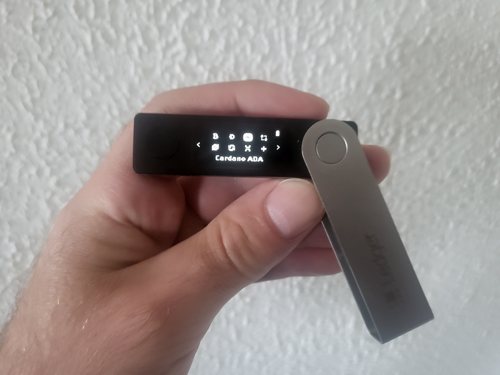
The Ledger Nano X has a premium aluminum and plastic build, featuring a rotating metal cover that protects its OLED display. It’s compact yet sturdy, with a minimalist design that slips easily into your pocket or travel bag.
Buttons are tactile and the screen is clear enough for address verification and transaction approvals, even in bright lighting.
Initial Setup & User Experience
Getting started with the Nano X is fast and beginner-friendly:
- Download Ledger Live
- Connect via USB-C or Bluetooth
- Set a PIN and write down your 24-word recovery phrase
- Install apps for each asset you want to manage
Ledger Live provides prompts during setup, reducing the chance of user error. The mobile and desktop versions of the app sync smoothly, allowing multi-device management.
Security Architecture
Security remains Ledger’s greatest strength. The Nano X runs on BOLOS, Ledger’s proprietary OS, and features a CC EAL5+ certified secure element chip (ST33).
The private keys never leave the device. Even when connecting via Bluetooth, transactions are signed internally—no sensitive data is exposed wirelessly.
For those worried about Bluetooth risks: communication is encrypted, and you must confirm every transaction on-screen.
If you’re new to cold storage, you may also want to read our guide on how hardware wallets protect your crypto assets.
Supported Coins & Ecosystem
The Nano X supports over 5,500 cryptocurrencies, including Bitcoin, Ethereum, Solana, Cardano, BNB Chain, XRP, Avalanche, and virtually every ERC-20 token.
You can install up to 100 apps simultaneously, depending on firmware and wallet size. This makes it ideal for multi-chain users and DeFi explorers.
Ledger Live App Features
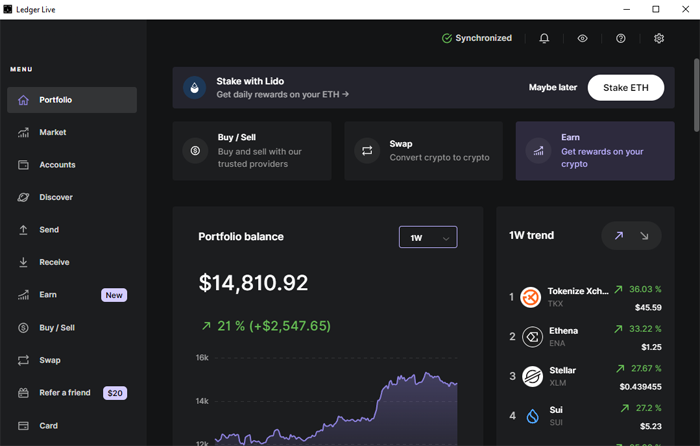
Ledger Live acts as your control center:
- Buy, send, and receive crypto directly
- Stake popular assets like ETH, DOT, ATOM, and SOL
- Swap tokens via integrations with Paraswap and 1inch
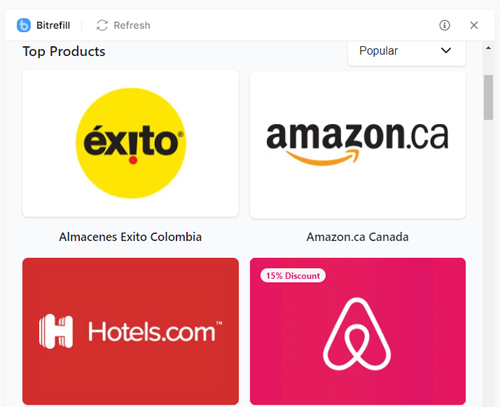
- Purchase gift cards via Bitrefill integration
- Connect to NFT platforms and view assets (Ethereum, Polygon)
We’ve published in-depth guides on how to stake your favorite cryptocurrencies directly through Ledger Live, including: Cosmos (ATOM) and Polkadot (DOT).
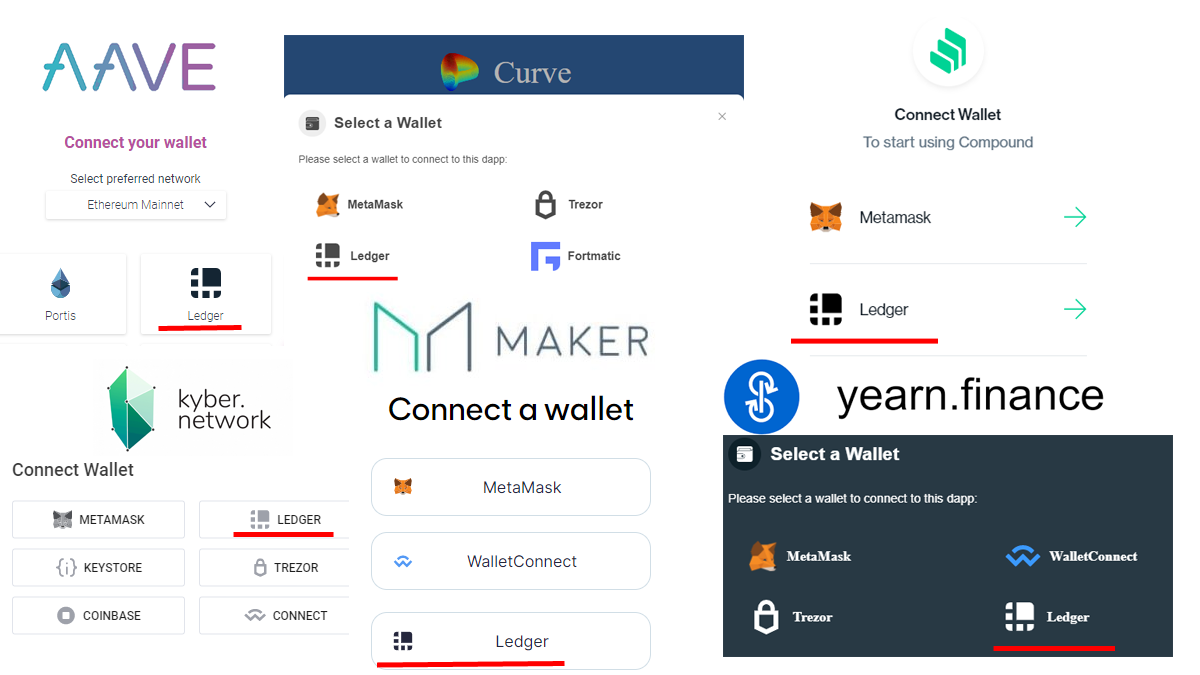
The Ledger Nano X also works with popular software wallets such as MetaMask, Talisman, Phantom, and Eternl, allowing you to interact with Web3 dApps while keeping your private keys secured on the hardware device.
Mobile Usage & Bluetooth
Bluetooth is a game-changer. The Nano X syncs with Android and iOS devices through Ledger Live, making it one of the most mobile-friendly hardware wallets in 2026.
No cables needed when checking balances, signing transactions, or installing new apps on the go.
Performance & Battery
- Battery lasts up to 8 hours standby or several days on intermittent use
- Charges via USB-C (fully in ~2 hours)
- Signing transactions and switching apps is snappy and reliable, especially with recent firmware updates
Accessories & Backup Tools
Ledger sells USB-C OTG adapters and bundles. For high-security backups, they recommend:
These ensure your 24-word phrase is protected from fire, water, and physical damage—critical for long-term holders.
Pros & Cons
Pros
✔️ 5,500+ asset support
✔️ Bluetooth + mobile app
✔️ Advanced security with BOLOS + secure element
✔️ Staking, swaps, and NFT support
✔️ Integrates with software wallets and Web3 dApps
Cons
❌ More expensive than Nano S Plus
❌ Limited open-source transparency
Who Should Use the Ledger Nano X?
- Long-term holders looking for top-tier hardware security
- Investors holding diverse portfolios
- Frequent travelers or mobile-first users
- DeFi users accessing multiple dApps
If you’re primarily using a software wallet like Trust Wallet or MetaMask, but want offline protection – Nano X is a perfect upgrade.
My Experience With the Ledger Nano X
The Ledger Nano X has been my trusted crypto companion for years. What continues to impress me is its durability — I’ve taken it on countless trips, stuffed it in bags and pockets, even left it under stacks of books and heavy gear, and it still doesn’t have a single scratch.
Over time, I’ve used it to manage millions of dollars in various crypto assets, and it’s never let me down. One feature I truly rely on is the ability to swap cryptocurrencies directly within Ledger Live. It gives me the best rates and eliminates the risks of sending funds to and from centralized exchanges.
What I also love about Ledger devices is that they’re the most widely supported hardware wallets out there. Whether I’m connecting to a software wallet or exploring dApps, Ledger is almost always natively integrated.
Of course, I keep my recovery phrase stored safely, but I occasionally use the Ledger Recovery Check app to verify it’s written down correctly — just in case.
One final note: in all these years, I’ve never had a single stuck or failed transaction. Even during network congestion, upgrades, or major hard forks, the Ledger team consistently delivers smooth performance and timely updates.
Considering it cost me just over a hundred bucks, the Nano X has easily been one of my best investments — a secure, reliable, and long-term tool in my crypto journey.
🎁 Ledger Nano X Special Offer
By using our exclusive link, you’ll receive $20 in Bitcoin (BTC) with your Ledger Nano X purchase, along with access to any additional Ledger promotions or bundle deals.
