
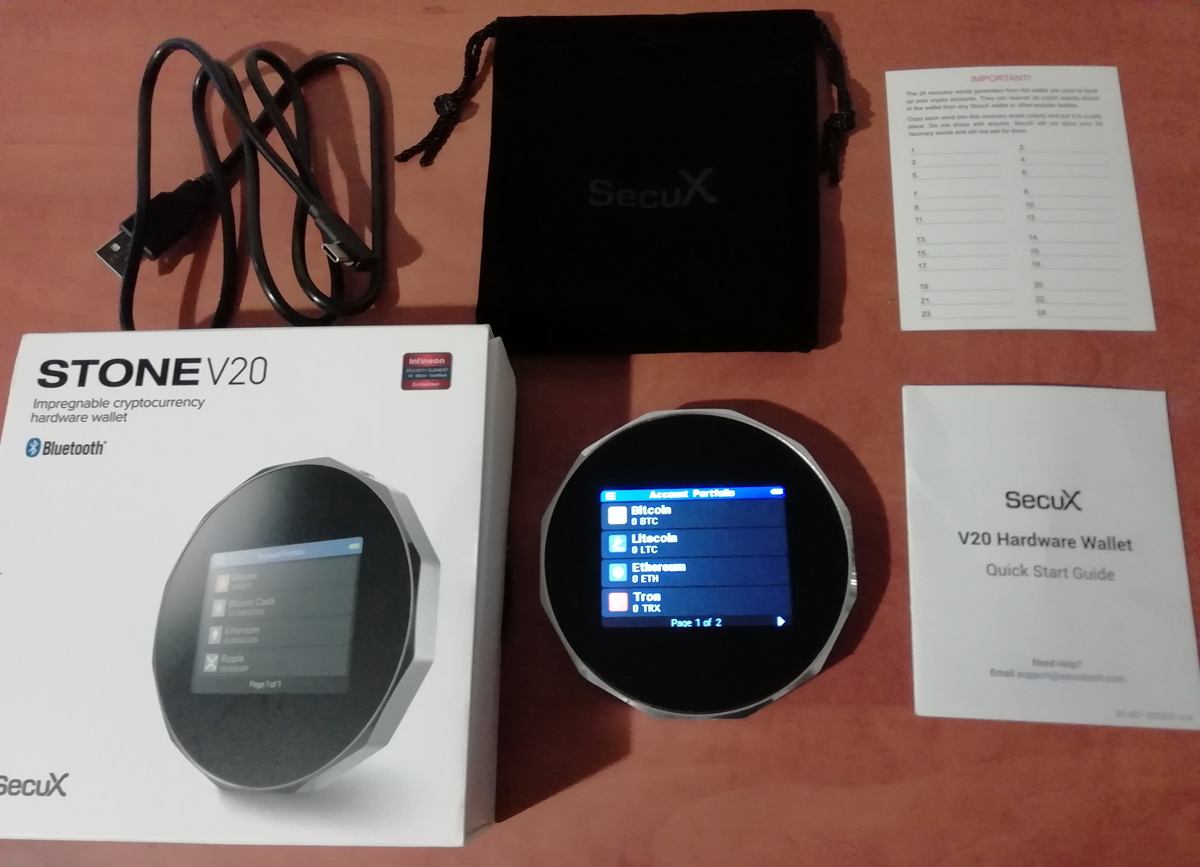

Choosing the right hardware wallet in 2026 is no small decision. The SecuX V20 stands out as a powerful, touchscreen-enabled cold storage solution built for security, convenience, and wide crypto support.
Sleek in design and secure by architecture, the SecuX V20 offers 10,000+ coin support, top-tier Bluetooth and USB-C connectivity, and peace of mind with EAL5+ certified security. Whether you’re managing Bitcoin, Ethereum, Solana, XRP, or stablecoins like USDT and USDC, this device is ready for your crypto lifestyle.
🧭 Jump to Section
- 🔧 Key Specs at a Glance
- 🆕 What’s New in 2026
- 💡 Design & Build Quality
- 🚀 Initial Setup & User Experience
- 📲 SecuX Mobile App Tutorial
- 🧩 Web3 & dApp Access
- 🔐 Security Architecture
- 🌐 Supported Coins & Ecosystem
- ⚙️ Performance & Battery Life
- 🧰 Backup & Hidden Wallets
- ✅ Pros & Cons
- 🎯 Who Should Use the SecuX V20
- 📝 My Experience With the SecuX V20
- 💰 Price – Is It Worth the Cost?
- 🎁 SecuX V20 Discount Code
🔧 Key Specs at a Glance
| Feature | Details |
|---|---|
| Display | 2.8″ full-color touchscreen (360×240 resolution) |
| Security | Infineon SLE Solid Flash CC EAL5+ secure chip |
| Connectivity | USB-C and Bluetooth 5.0 |
| Battery | 600mAh Li-Polymer (≈10-day usage) |
| Dimensions | 98 × 98 × 15 mm; Weight: 120g |
| Supported Wallets | Up to 500 accounts |
| Recovery Options | 24-word seed phrase |
🆕 What’s New in 2026?
In 2026, SecuX introduced support for the XDC Network and extended token support across a broad range of EVM-compatible blockchains, making the V20 even more versatile for modern crypto users.
💡 Design & Build Quality
Wrapped in a rugged aluminum-alloy body, the SecuX V20 feels premium and durable. The large color 2.8-inch touchscreen makes signing transactions, viewing balances, and navigating menus clear and effortless.
🚀 Initial Setup & User Experience
To set up the SecuX V20, we will use the web-based SecuX app.
Step 1: Charge your device with the USB-C cable.
Step 2: Power on and set a 6–8 digit PIN.
Step 3: Enter the Device Name.
Step 4: Write down the 24-word recovery seed using one of the two recovery sheets included in the box. This phrase is the only way to restore your wallet if the device is lost or reset, so make sure to store it securely.
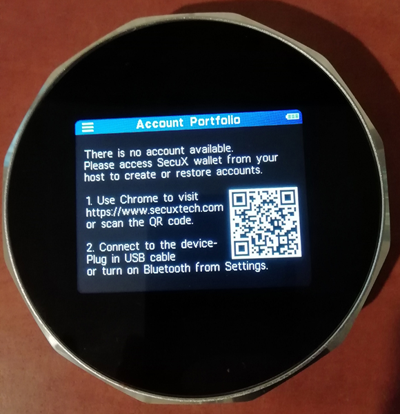
Step 5: Connect SecuX V20 with the USB cable to your PC/Laptop.
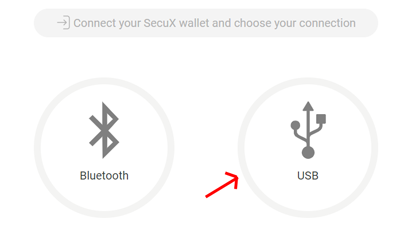
Step 6. Go to https://wallet.secuxtech.com/secuxess/, and choose USB for connection.
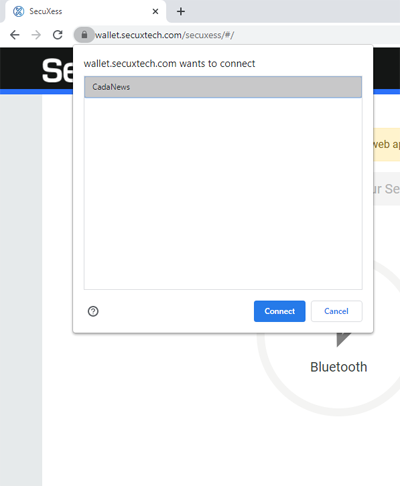
Step 7: Your V20 device name will pop up; click Connect.
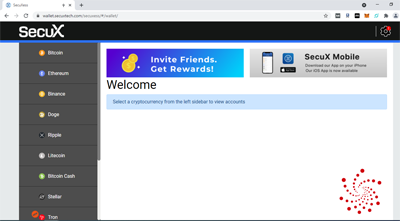
Step 8: We can now add wallets on the device from the left menu for the cryptocurrencies we want to use.
The entire process of managing your crypto assets is made easier by using the SecuX Mobile app, which you can download on your iOS or Android device.
📲 SecuX Mobile App Tutorial
After the initial setup, pairing your SecuX V20 with the SecuX Mobile app is easy:
Step 1: Download the SecuX Mobile app from the App Store or Google Play.
Step 2: Turn on Bluetooth on both your mobile device and the V20.
Step 3: A pairing code will appear on your V20 screen.
Step 4: Enter this code into the SecuX Mobile app to complete the secure connection.
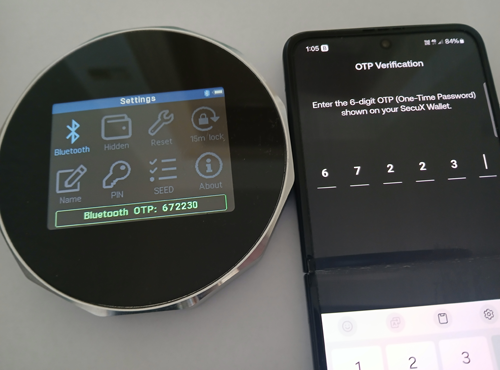
Once paired, you can:
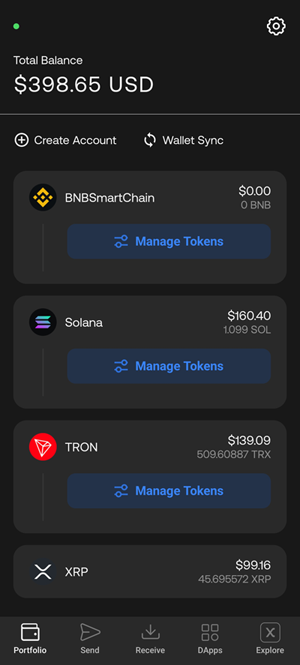
- Create and manage wallets directly from your mobile device
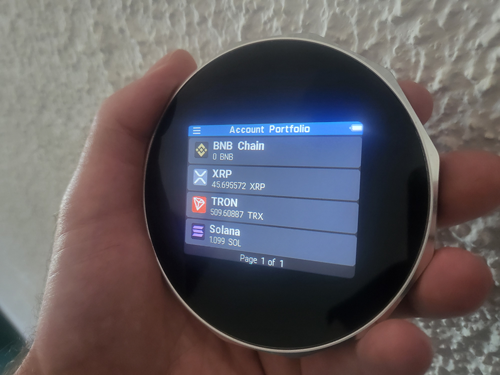
- View your portfolio with real-time balances
- Send and receive coins securely
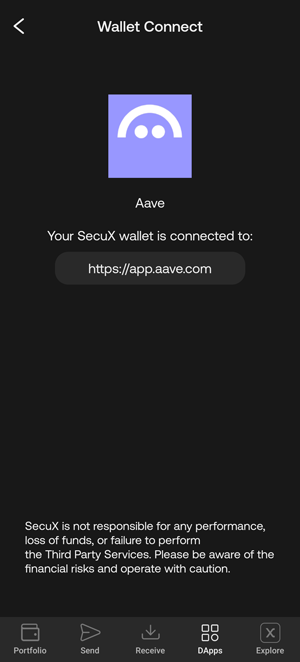
- Access and use dApps via WalletConnect
🧩 Web3 & dApp Access
SecuX V20 supports WalletConnect, giving you secure access to decentralized applications across supported blockchains. You can interact with DeFi protocols, NFT platforms, and more while keeping your private keys safely offline on your hardware device.
It also integrates with popular software wallets like MetaMask, making it easy to use its advanced features while keeping your private keys protected by the SecuX V20.
🔐 Security Architecture
SecuX V20 uses a certified Infineon EAL5+ chip, dynamic on-screen PIN entry, tamper-proof sealing, and hidden wallet creation (passphrase-based) to deliver excellent cold-storage security. It offers transaction verification on-screen, requiring your approval on the device before anything is signed and broadcast to the blockchain.
🌐 Supported Coins & Ecosystem
The wallet supports over 10,000+ coins and tokens, including:
- Bitcoin, Ethereum, Solana, BNB, XRP, Litecoin, Tron, Cardano, AVAX
- Token standards: ERC-20, BEP-20, TRC-20, SPL
- Supports USDT and USDC across multiple networks
You can see a full list of supported coins and tokens here.
⚙️ Performance & Battery Life
The SecuX V20 is responsive and efficient in day-to-day use. Transactions are signed quickly, firmware updates are smooth over USB, and the 600mAh rechargeable battery delivers solid longevity for extended use between charges.
🧰 Backup & Hidden Wallets
- Recovery: Supports 12/18/24-word BIP39 phrases for full wallet restoration.
- Hidden Wallet: A useful security feature that allows you to create a private wallet using a custom passphrase.
- Dynamic PIN keypad: Prevents fingerprint tracking or PIN theft.
✅ Pros & Cons
Pros
✔️ Beautiful design with the 2.8” color touchscreen
✔️ Bluetooth & USB-C
✔️ Supports 10,000+ tokens
✔️ Multi-chain support
Cons
❌ No staking support inside the native app
🎯 Who Should Use the SecuX V20
- Great for beginners thanks to its simple setup, Bluetooth pairing, and touchscreen navigation
- Recommended for users who need multi-chain support with secure hardware-level protection
- Ideal for users who value simplicity when managing crypto assets with the robust protection of a hardware wallet
📝 My Experience With the SecuX V20
I really like my SecuX V20. It’s a sleek and great-looking hardware wallet with a large color touchscreen that makes reviewing and signing transactions easy and intuitive.
It pairs flawlessly with the SecuX Mobile app via encrypted Bluetooth, making it super convenient to manage my assets. The setup and navigation are intuitive, which is great even for beginners. The user experience is seamless, and everything functions smoothly.
The battery life is excellent – I only charge it once every 10 days or so. It connects easily to software wallets like MetaMask when I need extra features, and I’ve had no problems using it with dApps via WalletConnect either.
So far, every transaction has gone through without a hitch. Fees are well-managed, and firmware updates arrive regularly, which gives me peace of mind. Overall, it’s a reliable, secure, and visually impressive wallet that I’d recommend to both new and experienced crypto users.
💰 Price – Is It Worth the Cost?
- Retail Price: $139.00
- Discount Available: A 15% discount is available when you use our exclusive link
- Final Price: $118.15
For a premium device with enterprise-grade chip security and multi-network support, this is a great deal.
✅ Final Verdict – Is SecuX V20 a Smart Buy in 2026?
If you’re looking for a hardware wallet that combines touchscreen ease, wide token support, hidden wallet protection, and seamless connectivity for both desktop and mobile – the SecuX V20 is hard to beat in 2026.
It’s an elegant device that delivers robust protection and an overall fantastic user experience.
🎁 SecuX V20 Discount Code
Use our exclusive link to get 15% OFF your purchase. No need to enter a code — the discount is automatically applied when you add the SecuX V20 to your cart. That’s a savings of over $20.
