

MetaMask and Trust Wallet are two of the most widely used crypto wallets. In some situations, you may want to access the same wallet in both applications.
The easiest way to do this is by importing your wallet using the recovery phrase. This does not create a new wallet or move your funds. It simply allows another wallet app to access the same blockchain address.
In this guide, we will show you how to import a MetaMask wallet into Trust Wallet step by step. The process works on both mobile devices and the Trust Wallet browser extension.
If you’re looking for more wallet guides and troubleshooting tips, visit our Crypto Tutorials Hub, where we publish step-by-step guides for MetaMask, Trust Wallet, and other popular crypto wallets.
1. MetaMask wallet recovery phrase
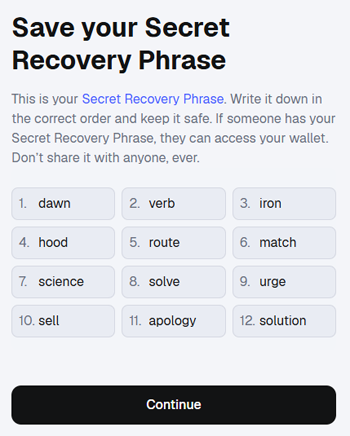
When you create a MetaMask wallet, you receive a recovery phrase.
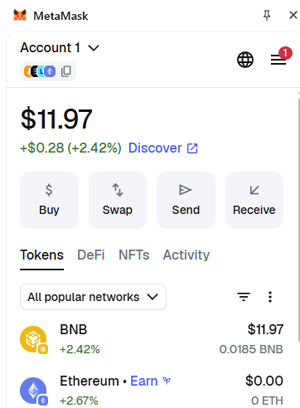
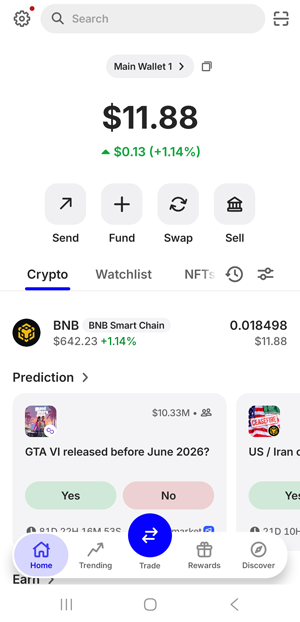
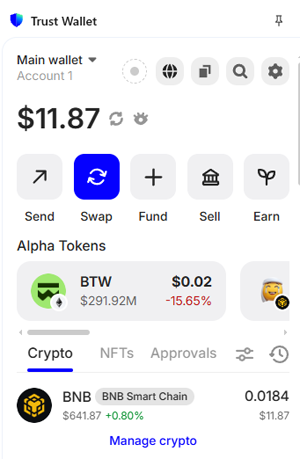
In this example, my MetaMask wallet contains $11 worth of BNB.
2. Importing recovery phrase in Trust wallet on mobile Device (Android)
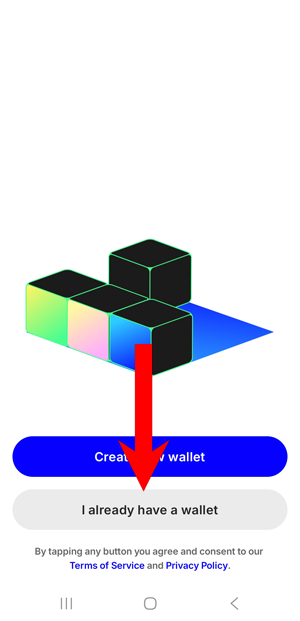
Install Trust Wallet on your mobile device and open the app. Then select the “I already have a wallet” option.
Select Secret phrase to import an existing wallet.
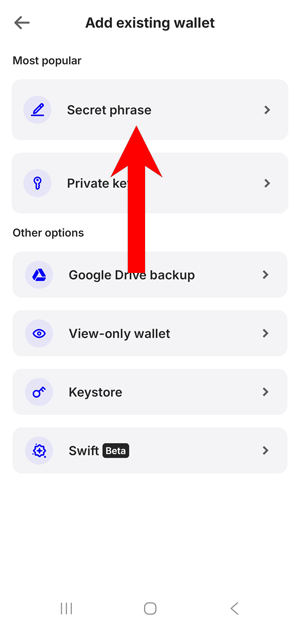
Enter your MetaMask recovery phrase and confirm the import.
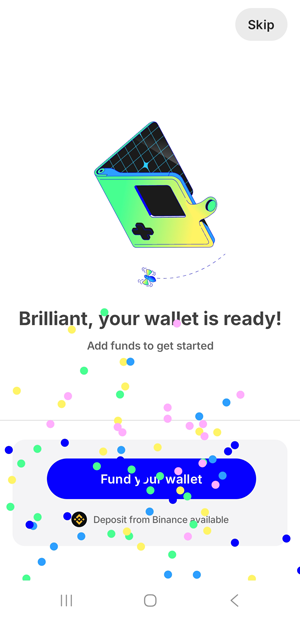
The wallet has been imported successfully. As you can see, the BNB balance is the same as in my MetaMask wallet.
2. Importing recovery phrase in Trust wallet Google Chrome browser extension
Download the Trust Wallet extension for Google Chrome.
Choose I already have a wallet option.
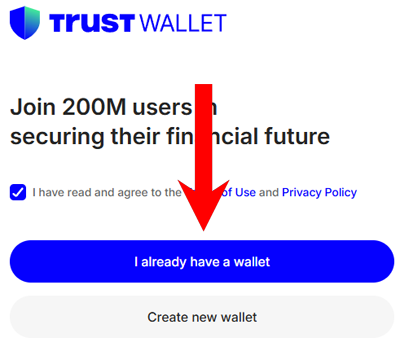
Create a password for the extension. Then, in the Select your existing wallet section, choose MetaMask.
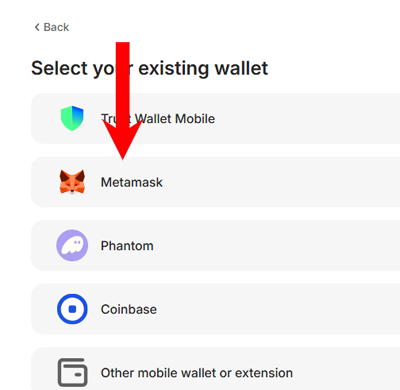
Enter your wallet recovery phrase and confirm. Once completed, the wallet will be imported successfully. As you can see in the example below, my BNB balance is the same in the Trust Wallet browser extension as in my MetaMask wallet.
Final Thoughts
Importing a MetaMask wallet into Trust Wallet is a simple process that only requires your recovery phrase.
Once the wallet is imported, both apps will display the same wallet address and crypto balances because they are accessing the same blockchain wallet.
This can be useful if you want to manage your wallet on different devices or prefer using multiple wallet applications.
Just remember that your recovery phrase is the key to your wallet. Always store it safely and never share it with anyone.
