
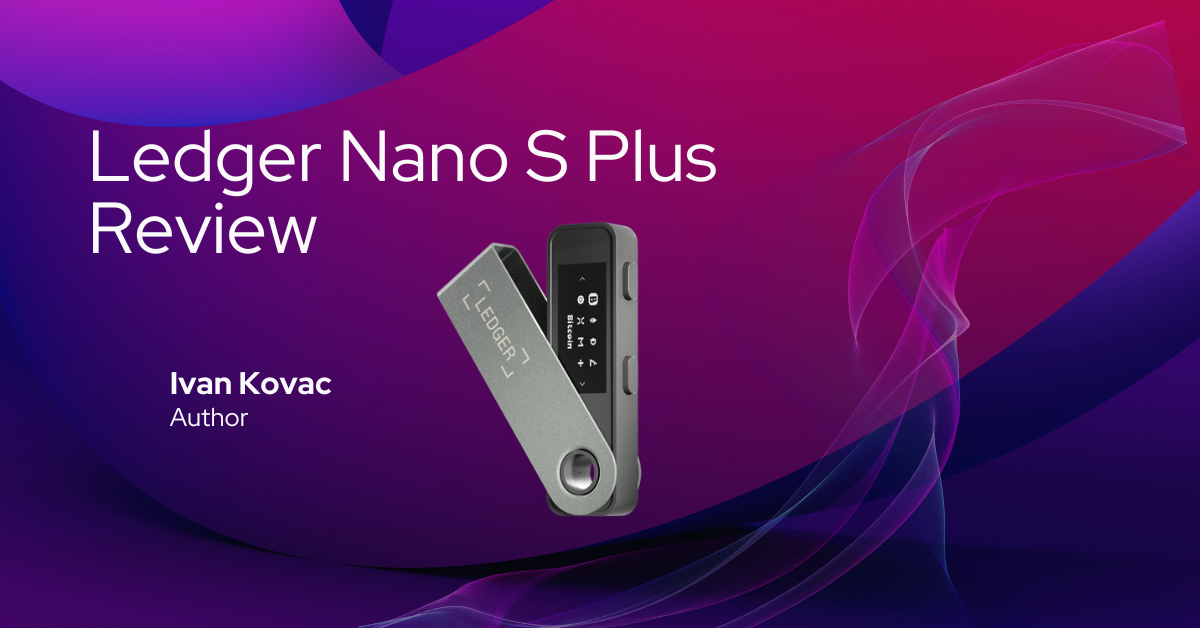

Is the Ledger Nano S Plus worth it in 2026? In this hands-on review, I’ll walk you through my real-world experience using this affordable hardware wallet — including its features, security, compatibility, and where it fits in the Ledger lineup.
The Ledger Nano S Plus is a secure and affordable hardware wallet designed for desktop and Android users. It supports over 5,500 cryptocurrencies, handles up to 100 apps, and maintains the same core security as Ledger’s premium models – without the Bluetooth or iOS support. For beginners and long-term holders, it’s one of the best entry-level wallets available in 2026.
🧭 Jump to Section
- 🔧 Key Specs at a Glance
- 🆕 What’s New in 2026
- 💡 Design & Build Quality
- 🚀 Initial Setup & User Experience
- 🔐 Security Architecture
- 🌐 Supported Coins & Ecosystem
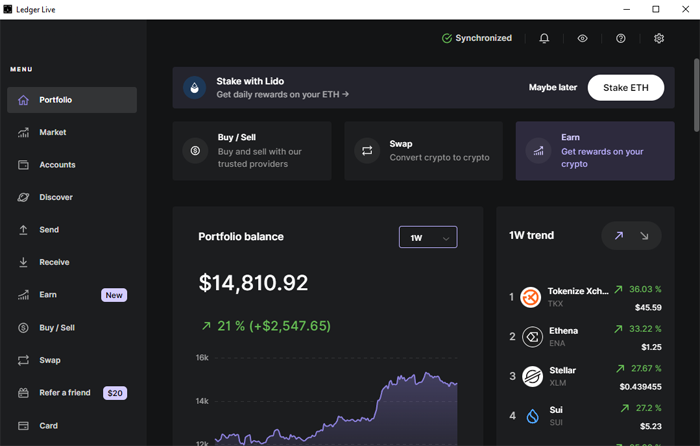
- 📱 Ledger Live App Features
- 📶 Desktop & Mobile Connectivity
- ⚙️ Performance & App Management
- 🧰 Accessories & Backup Tools
- ✅ Pros & Cons
- 🎯 Who Should Use the Ledger Nano X
- 📝 My Experience With the Ledger Nano X
- 💰 Price – Is It Worth the Cost?
- ✅ Final Verdict – Our Take on Ledger Nano X in 2026
- 🎁 Ledger Nano S Plus Special Offer
- ❓ FAQ
🔧 Key Specs at a Glance
| Feature | Description |
|---|---|
| Display | 128×64 px OLED |
| Connectivity | USB-C (wired only) |
| Battery | None |
| Chipset | ST33 Secure Element |
| App Capacity | Up to 100 apps |
| Asset Support | 5,500+ coins and tokens |
| Companion App | Ledger Live (Desktop & Android) |
| iOS Support | ❌ Not supported |
| Size / Weight | 62.39mm x 17.40mm x 8.24mm / 21g |
🆕 What’s New in 2026
Ledger’s updates in 20266 ensure the Nano S Plus stays competitive:
- Compatibility with newer software wallets like Rabby, HashPack, and Talisman
- Native staking support for DOT, ADA, ATOM, and more
Although newer models like Ledger Stax offer touchscreen experiences, the S Plus remains a trusted workhorse.
💡 Design & Build Quality
The Nano S Plus keeps things simple: a sleek, compact form with a bigger screen than the original Nano S and a much-needed USB-C upgrade.
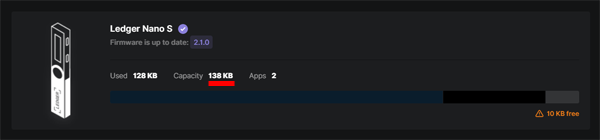
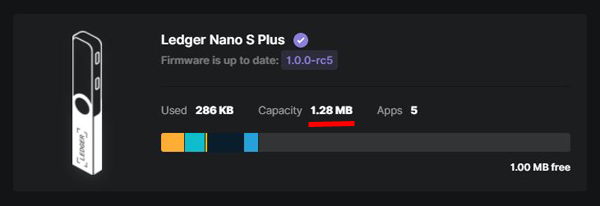
The most significant upgrade of the Ledger Nano S Plus is its increased memory storage. With 1.28 MB of storage compared to the Nano S’s mere 138 KB, the Nano S Plus allows you to install multiple apps—wallets for different cryptocurrencies—via the Ledger Live app.
It’s lightweight, sturdy, and designed to slip easily into a drawer, bag, or vault. It lacks a battery and wireless capabilities, but for desktop and USB-connected mobile users, it’s practical and dependable.
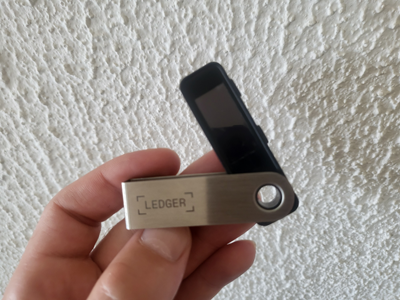
Its USB-C port replaces the outdated micro-USB, and the reinforced plastic shell feels solid in hand. While it doesn’t have a battery like the Nano X, it’s durable enough for daily use or as a backup device.
🚀 Initial Setup & User Experience
Setting it up is quick and beginner-friendly:
- Connect it to your laptop via USB-C
- Download and install Ledger Live
- Create or recover your wallet using your 24-word recovery phrase
- Install apps for the coins you want to manage
For mobile users: you can use the Nano S Plus with Android phones that have USB-C ports, but you’ll need a USB-C to USB-C cable (sold separately or in the Ledger OTG Kit). It does not support iOS devices.
🔐 Security Architecture
The Nano S Plus uses the same ST33 secure element and BOLOS operating system as the Nano X.
- Your private keys never leave the device
- Transactions must be manually approved on-screen
- No Bluetooth = fewer wireless attack vectors
It also supports passphrase protection and firmware attestation.
🌐 Supported Coins & Ecosystem
The Nano S Plus supports 5,500+ cryptocurrencies, including:
- Bitcoin, Ethereum, Solana, BNB Chain, Cardano, Avalanche, DOGE, SUI
- ERC-20, BEP-20, TRC-20
- Popular dApps access
App capacity is up to 100 apps, enough for most users with multi-chain portfolios. You can check the full list of the supported coins and tokens here.
📱 Ledger Live App Features
The Ledger Live app unlocks full wallet functionality, including:
- Send/receive crypto securely
- Staking for ADA, DOT, ATOM, and more
- Swap tokens using Changelly and Exodus
- View and manage NFTs
- Buy gift cards through Bitrefill
Ledger Live runs on desktop and Android, and the Nano S Plus connects easily to both — just note: on Android, you must use a USB-C to USB-C cable.
📶 Desktop & Mobile Connectivity
The Ledger Nano S Plus is a wired-only wallet — no battery, no Bluetooth.
- USB-C port connects to modern laptops and desktops
- USB-C to USB-C is required for Android phones
- iPhones and iPads are not supported
If you want Android support out of the box, the Ledger OTG Kit is a smart buy. It includes:
- USB-C to USB-C
- micro-USB to USB-C
- micro-USB to USB-A
This ensures compatibility with most Android models and older laptops.
⚙️ Performance & App Management
Compared to the older Nano S, the S Plus is significantly upgraded:
- Install up to 100 apps without deleting/reinstalling
- Seamlessly switch between major chains
- Navigate faster using its larger screen and improved memory
For the price, this is one of the most efficient wallets available.
🧰 Accessories & Backup Tools
Ledger offers several helpful accessories:
- Ledger OTG Kit: a must-have for Android users
- Cryptosteel Capsule or Billfodl: metal recovery phrase backups
If you’re using this wallet for long-term cold storage, these extras are worth considering.
✅ Pros & Cons
Pros
✔️ Affordable entry-level hardware wallet
✔️ 5,500+ coins and NFT support
✔️ 100 app capacity
✔️ Secure chip and OS (same as Ledger Nano X)
✔️ Works with Android and desktop
Cons
❌ No Bluetooth
❌ No iOS support
❌ Wired-only (USB-C or USB-C to USB-C)
🎯 Who Should Use the Ledger Nano S Plus?
This wallet is ideal for:
- Newcomers to crypto cold storage
- Desktop or Android users
- People who want a Ledger-branded backup device
- Long-term holders who don’t need mobile-first access
- Budget-conscious investors seeking high-level security
📝 My Experience With the Ledger Nano S Plus
My Ledger Nano X still serves me very well after many years, and the Ledger Stax brings a whole new experience with its touchscreen. I wanted to find out if the Ledger Nano S Plus, despite being quite cheap, is a good fit for a crypto holder and trader.
My simple answer is: it is.
Keeping the high Ledger security standards, I can use all the features of Ledger Live just like with any other Ledger device. The memory is big enough — I’ve installed apps for 10 different blockchains and still have room for more.
Transaction signing is clear and visible, and dApps and software wallets that support Ledger also work perfectly with the Nano S Plus. It doesn’t have Bluetooth (and it doesn’t support iOS devices), but if you have an Android phone, it will work just fine.
My tip: buy the inexpensive Ledger OTG Kit, because you’ll need a USB-C to USB-C cable to connect it to your phone.
For anyone looking for a budget-friendly hardware wallet from a reputable brand, the Ledger Nano S Plus will serve you well. I now use it as a backup wallet — I’ve restored my Nano X accounts onto the S Plus using the same recovery phrase. I keep it safely at home, and it’s come in handy more than once. I’m very happy with it.
💰 Price – Is It Worth the Cost?
The Ledger Nano S Plus is priced at $79 and delivers strong hardware-based security in a compact, affordable form. It’s a great option for users who want reliable cold storage without paying for extra features like Bluetooth or a touchscreen.
If you don’t need iOS compatibility, the Nano S Plus stands out as one of the most dependable entry-level wallets in 2026.
✅ Final Verdict – Our Take on Ledger Nano S Plus in 2026
The Ledger Nano S Plus continues to be one of the most practical and affordable hardware wallets available in 2026.
It delivers secure storage, broad crypto and NFT support, and Ledger Live integration — all at a fraction of the price of a Nano X or Stax. For desktop and Android users, or anyone seeking a reliable backup, the S Plus is a smart investment in your crypto security setup.
🎁 Ledger Nano S Plus Special Offer
By using our exclusive link, you’ll get access to any bonus perks Ledger sometimes offers to its customers—such as free Bitcoin, discounted bundles, or early access deals.
